
Quick answer: What is digital archiving? It is the deliberate process of collecting, organizing, and preserving electronic files like documents, photos, and databases so they remain accessible over time. Unlike physical filing, digital records require active intervention, standardized formats, and routine maintenance to survive hardware crashes and software changes.
Key takeaways
- Digital files degrade and become obsolete without active preservation strategies.
- Open file formats and robust metadata prevent permanent data loss.
- A multi-tiered storage approach protects against hardware failure.
- YandaZ maintains dedicated archives for visitors seeking preserved content.
What Is Digital Archiving?
Digital archiving involves collecting and storing electronic files—such as documents, images, sounds, and videos—in a manner that enables future access for users and researchers. People record personal experiences and life events digitally on computers, phones, and other electronic devices in the form of documents, email, photos, social media, and audio or video files. A digital archive serves as a secure storage location for safeguarding digital information such as files, invoices, deeds, or other important documents.
Unlike an analog archive, both the archived data and the storage location are electronic by nature. The primary objective is to store digital data that is no longer required immediately, but remains important. Organizations and individuals build these systems to ensure history and vital records do not vanish when hardware changes. Digital materials are inherently fragile because they depend entirely on specific software and hardware to be read, meaning inaction guarantees eventual data loss [1, 2].
Key insight
Digital materials are inherently fragile because they depend entirely on specific software and hardware to be read, meaning inaction guarantees eventual data loss [1, 2].
Image by theglassdesk on Pixabay

Why Is Digital Preservation Important?
Digital preservation matters because electronic media degrades, software formats change, and storage devices fail without warning. Storing family photos on a hard drive or company invoices on a local server assumes those files wait patiently for return. Reality proves otherwise. Computer crashes, changes in software and hardware, and the overwhelming volume of content generated daily contribute to the loss of important memories and business records.
Without active preservation, file formats become obsolete. A proprietary document format from past decades might open on modern computers only with great difficulty, or not at all. Commercial law and tax law stipulate defined retention periods for relevant documents. Businesses face severe penalties if they cannot produce historical financial records. By maintaining structured Archives, companies protect themselves against compliance failures while decluttering active servers.
The Hidden Costs of Doing Nothing
Ignoring digital preservation creates compounding risks. When personal photos scatter across dead smartphones, old cloud accounts, and discarded laptops, retrieving them becomes nearly impossible. Organizations waste hundreds of staff hours hunting for misplaced contracts because they lack a centralized repository. Investing time into digital archiving prevents operational bottlenecks.
Issues and Challenges in Modern Data Management
Managing electronic records introduces unique hurdles that physical filing cabinets never presented. As archives have become more digital than physical, the question is less a matter of what gets archived, since it is increasingly possible to archive everything. This capability creates an overwhelming flood of information. Saving every duplicate email, blurry photograph, and temporary draft creates clutter that buries truly valuable files.
Privacy and security represent major operational challenges. Researchers address concerns regarding privacy and piracy—under what conditions the privacy of individuals or groups is violated when materials are archived, and who should have access. In office environments, expanded digital access historically allowed staff to view sensitive files without proper permission. Modern administrators must implement strict permission controls to balance open access with strict confidentiality rules.
⚠️ Watch out
Saving every single file without a filtering strategy creates digital hoards that are impossible to search, categorize, or secure over time.
What Is Important in a Digital Archive?
Building a resilient electronic archive requires deliberate choices regarding file formats, storage media, and descriptive data. Selecting open, sustainable file formats ensures files remain readable across different operating systems. Proprietary formats tied to single vendors present high risks when those companies go out of business or update software suites.
Metadata acts as the invisible backbone of any successful repository. Without descriptive tags, dates, and creator information, stored media becomes a digital wasteland. Organizing content with clear folder hierarchies and consistent naming conventions ensures future users can actually locate what they stored.
| Element | Poor Practice | Best Practice |
|---|---|---|
| File Formats | Proprietary, locked formats | Open standards (PDF/A, JPEG, WAV) |
| Storage Media | Single local hard drive | Multi-tiered backup rule (local, cloud, offline) |
| Metadata | Unnamed files (IMG_001.jpg) | Descriptive tags and structured naming |
How Do Digital Archives Work?
Operating a digital repository involves a systematic workflow that moves active files into long-term preservation. Whether utilizing specialized software or a structured cloud setup, the core process remains consistent across applications.
- Identify and gather all digital materials from computers, phones, external hard drives, and cloud accounts that require long-term retention.
- Select sustainable file formats that resist technological obsolescence and convert older proprietary documents into open standards.
- Apply descriptive metadata, including titles, dates, and creation contexts, so files remain searchable years later.
- Establish stable storage media, combining cloud services with physical backup copies to protect against sudden hardware failure.
- Monitor the digital archive periodically by checking file integrity and updating storage media as technology evolves.
💡 Pro tip
Run an annual audit of storage media to verify that files open correctly and that cloud subscriptions remain active and paid for.
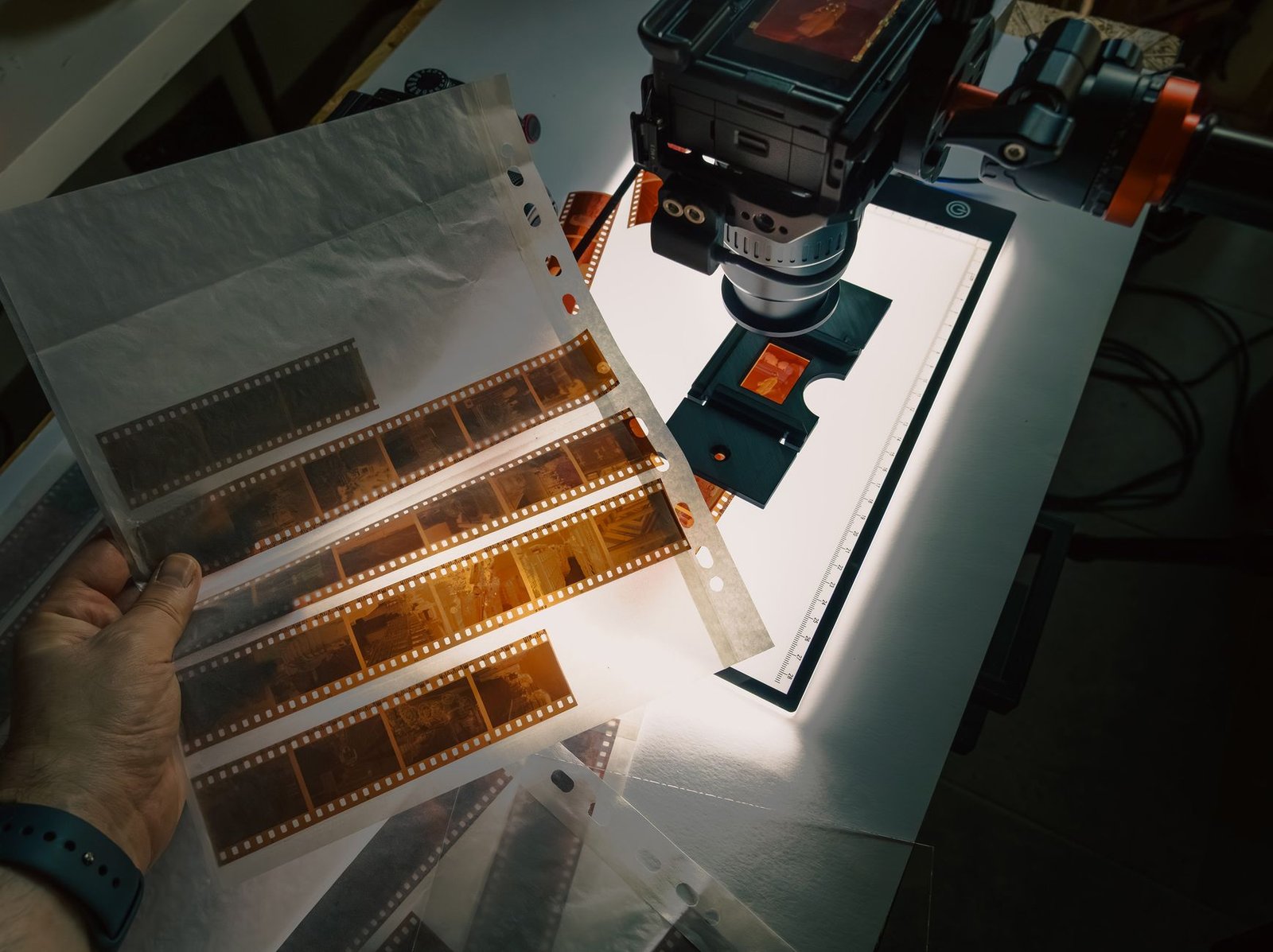
Photo by Mohamed Marey on Unsplash
Real-World Examples and Use Cases
Digital archives appear across nearly every modern industry, preserving human culture and corporate history. Cultural institutions like the Library of Congress maintain massive collections of digital photographs, audio recordings, websites, and electronic mail to document contemporary heritage. Universities build institutional repositories to safeguard faculty research papers and historical campus documents.
Corporations utilize digital archiving solutions to manage customer service records, historical product designs, and mandatory tax filings. YandaZ provides archived digital content and information, serving visitors who need reliable access to stored records. When a business needs to prove regulatory compliance from five years ago, its electronic archive retrieves the exact invoice instantly.
| Sector | Primary Archival Focus | Benefit |
|---|---|---|
| Libraries & Museums | Websites, historical audio, digital art | Protects cultural heritage for future researchers |
| Corporate Enterprises | Invoices, legal deeds, correspondence | Meets legal retention rules and clears active servers |
| Higher Education | Research datasets, faculty papers | Supports ongoing academic scholarship and discovery |
Career Path: Becoming a Digital Archivist
Managing growing volumes of electronic heritage requires trained professionals who understand preservation science, metadata standards, and information security. Professional archivists and digital preservation experts guide individuals and institutions through complex data management plans.
Entering this field typically requires a master’s degree in library and information science with a specific focus on archives management, digital curation, or information technology. Coursework usually covers database design, digital preservation frameworks, and metadata standards. As organizations generate more electronic content every day, skilled digital archivists remain in high demand across government agencies, corporate archives, universities, and cultural heritage institutions.
Related: How Web Archiving Works: Preserving Internet History

Frequently asked questions
What do you mean by digital archive?+
A digital archive is a centralized repository designed for the long-term safekeeping, organization, and retrieval of electronic files. Unlike a standard folder on a desktop computer, a true archive uses strict metadata rules, standardized open file formats, and verified backups to ensure documents survive hardware obsolescence. For example, a corporation might use an electronic archive to store decade-old tax deeds. This approach applies whenever historical records must outlive the specific applications used to create them.
What degree do I need to be a digital archivist?+
Professional digital archivists typically hold a master’s degree in library and information science, often with a specialized concentration in digital curation, archives management, or information management systems. This advanced training covers database administration, metadata schema development, and digital preservation workflows. For instance, university programs teach students how to migrate obsolete file types into modern formats. This credential is vital when seeking employment in institutional libraries or corporate compliance departments.
Can you give me an example of a digital archive?+
A prominent example is the digital preservation collection maintained by the Library of Congress, which preserves historical websites, digital photographs, and electronic mail for public research. On a smaller scale, a family might build a personal digital archive containing scanned historical letters, digitized home videos, and tagged photographs stored across redundant hard drives. These systems matter most when physical materials risk degradation or loss.
Are digital archivists in demand?+
Digital archivists are in high demand as organizations across government, healthcare, education, and corporate sectors generate staggering volumes of electronic data daily. Because electronic records degrade and software versions change rapidly, institutions need trained experts to prevent catastrophic data loss. For example, hospitals require specialists to manage decades of electronic patient health records securely. This demand increases whenever organizations face stricter regulatory compliance requirements.
What is the difference between backup and digital archiving?+
A backup is a short-term copy of active data meant for immediate disaster recovery, whereas a digital archive stores inactive records for long-term reference and historical preservation. Backups overwrite old files periodically, while archives protect authentic copies permanently. For example, an accountant uses daily backups to restore a crashed workstation, but relies on an archive to retrieve tax invoices from five years ago. Archiving focuses on metadata and file longevity rather than rapid system restoration.
How often should digital archive storage be checked?+
Digital archive storage should undergo a formal integrity check and audit at least once every year. Periodic reviews catch failing storage sectors, expired cloud subscriptions, or corrupted file headers before permanent data loss occurs. For example, an archivist might run checksum verifications on external hard drives annually to confirm file integrity. Routine checks are essential unless storage relies entirely on managed enterprise clouds with automated monitoring.